Portable app41.5 MB
NetWrench-v1.2.0-portable.exe
SHA256
Loading…
NetWrench is a network diagnostics toolkit for Windows. Port checks, DNS lookups, TLS certificates and subnet math live in one portable app, and nothing leaves your machine until you ask.
For 64-bit Windows 10 and 11. Nothing to install.
Pick the question, open the tool. The names match the NetWrench sidebar, so you’ll know exactly where to click.
What’s my IP, gateway and DNS server right now?
DashboardIs port 443 open on that server?
TCP Port CheckerDoes this name resolve, and to what?
DNS ToolboxWhen does this certificate expire?
TLS InspectorWhich of these hosts and ports can I reach?
Connection MatrixCan this machine get to the internet?
Internet ConnectivitySomething’s wrong with this host. Where do I start?
Quick DiagnosticsHow many usable hosts fit in a /22?
Subnet CalculatorNetWrench is made for jumpboxes and locked-down networks, where unexpected traffic is a problem.
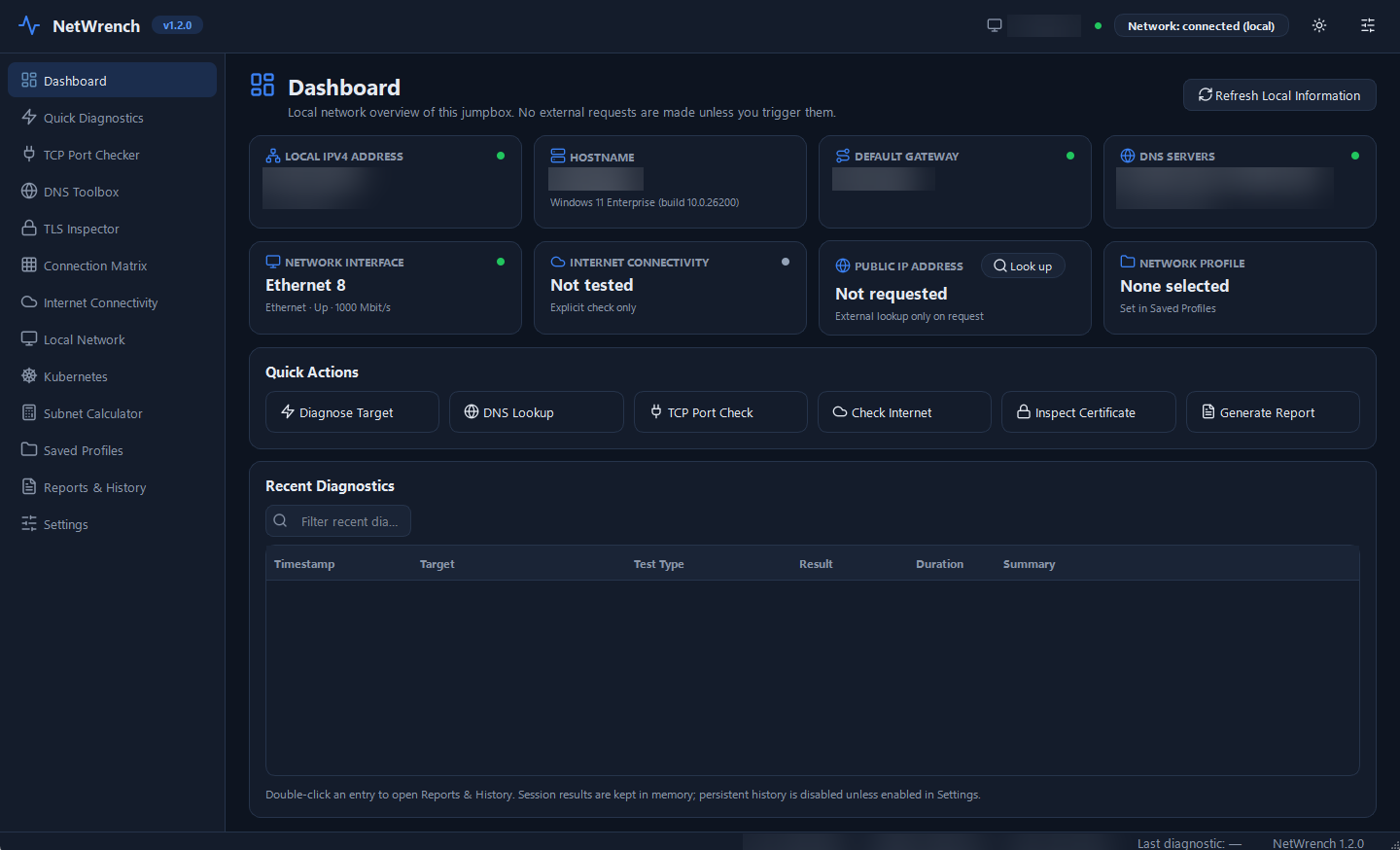
This is how the dashboard looks until you run a check yourself.
Released 9 November 2026. Both files contain the same app. The .zip is there for networks that block .exe downloads.
NetWrench-v1.2.0-portable.exe
Loading…
NetWrench-v1.2.0-win-x64.zip
Loading…
All checksums are in SHA256SUMS.txt.
Open Command Prompt in the folder with the download and run:
certutil -hashfile NetWrench-v1.2.0-portable.exe SHA256
The result should match the SHA256 shown for that file.